STATA is available with JHU MyCloud apps
The Citrix Workspace provides access to JHU applications and network drives from a web browser, and can be used on all library workstations or your own computer.
Cloud apps include:
- STATA
- Matlab
- Onbase
- MSOffice
Apps can then be accessed through the JHU portal at the MyJH Portal under the “myCloud” tile.
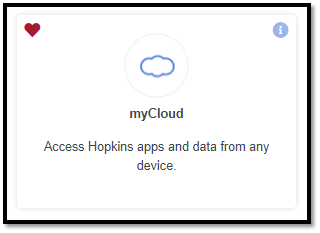
Direct access via any HTML5 enabled web browser (Such as Google Chrome and Microsoft Edge) is available by clicking MyCloud Web Portal, or by copy/pasting https://mycloud.jh.edu into your browser search bar.
Installing Citrix Workspace
Citrix Workspace (formerly Citrix Receiver) is a standard requirement at Johns Hopkins. It is used to access applications and virtual desktops throughout the institution. If you have not previously downloaded Citrix Workspace, you will be prompted when accessing MyCloud.
Citrix Workspace (WSA) Best Practices
For additional assistance downloading Citrix Workspace, refer to the links below.
Download Citrix Workspace - Windows PC
Download Citrix Workspace - Mac PC
Finally, after Citrix is installed, you can navigate to ‘MyCloud Desktop’, and click the icon:
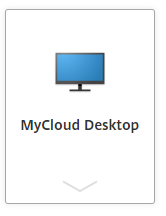
The desktop will load, and you are connected!
For assistance, contact the IT Help Desk by submitting a self-service ticket or by calling 410-955-4357.
Was this article helpful?
That’s Great!
Thank you for your feedback
Sorry! We couldn't be helpful
Thank you for your feedback
Feedback sent
We appreciate your effort and will try to fix the article